How to Get Your Small Business on Google Maps: A Simple Step-by-Step Guide

Founder, Schoofa Aura
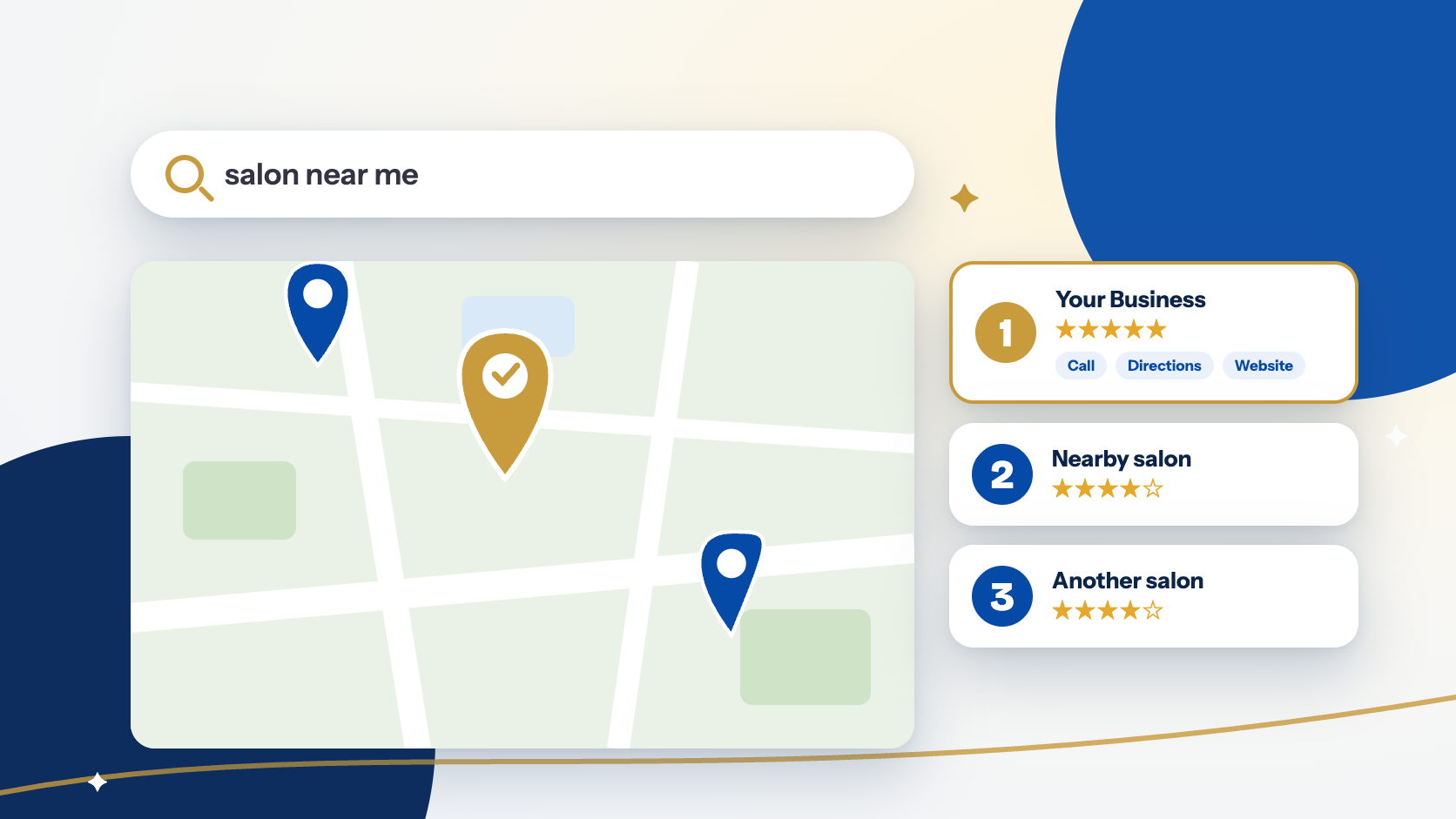
When someone nearby searches for "dentist near me", "ladies salon in Tolichowki" or "tuition centre for class 10", Google usually shows a small map with three businesses first. Those three get most of the calls and visits. If you are not one of them, customers may never find you, however good your work is.
The good news: getting on that map is free, and you can do the basics yourself in an afternoon. Here is how.
Step 1: Find or create your profile
Search for your business name on Google. If a profile already exists, you will see a "Claim this business" option. If not, go to the Google Business Profile page, sign in with a Google account that you will keep long term (not an employee's personal account), and add your business.
Use your real business name exactly as it appears on your signboard. Adding extra keywords to the name can get your profile suspended.
Step 2: Add accurate basic details
Fill in every field carefully:
- Address and pin on the map. Check that the marker is on your actual door, not the street.
- Phone number. Use a number you answer. A WhatsApp number works well for Indian customers.
- Opening hours. Include holiday hours when they change.
- Website link, if you have one.
Use the same name, address and phone number everywhere online: your website, Instagram, Facebook and any directories. Mismatches confuse Google.
Step 3: Choose the right category
Your main category matters more than almost anything else. Pick the one that describes what you are, for example "Dental clinic", "Beauty salon" or "Coaching centre". Then add two or three secondary categories for other things you do.
Step 4: Verify your business
Google needs to confirm that you really run the business. Depending on your location, you may get a video call, a short video to record, a phone call or a postcard. Follow the steps it shows, and keep your signboard, shop and equipment in view if it asks for a video.
Until you verify, your profile will not work properly.
Step 5: Add photos and a short description
Profiles with real photos get more engagement. Add:
- Your signboard and the outside of the shop, so people can recognise it.
- The inside of your space.
- Your team at work, with permission.
- Your products or services.
Use real photos taken on your phone. Stock images do not build trust. In the description, say clearly what you do, who you serve and where, in plain language. Do not stuff it with keywords.
Step 6: List your services or products
Add each service with a short line and, if you are comfortable, a starting price. Customers often decide between two businesses simply because one shows what it offers and the other does not.
Step 7: Ask for reviews, politely
Reviews are one of the strongest signals for local search, and they build trust with new customers. Do not buy reviews and do not offer rewards for them, as that breaks Google's rules.
Instead, after you have done good work, send a friendly WhatsApp message with your review link: "Thank you for visiting us today. If you were happy with our service, we would be grateful for a quick review." Reply to every review, including the critical ones, calmly and politely.
Step 8: Post an update every week
You can post offers, new arrivals, events or a quick tip. It takes five minutes. A profile that is updated regularly looks active to both Google and customers.
Common mistakes to avoid
- Using a personal account that you may lose access to later.
- Leaving the wrong opening hours after a festival or holiday.
- Ignoring reviews and messages.
- Creating a second profile for the same business instead of claiming the first one.
- Expecting results overnight. Ranking improves gradually.
A realistic way to measure progress
Your profile shows how many people found you, called you, asked for directions or visited your website. Check it once a month. Rising calls and direction requests tell you it is working, even before you reach the top three.
Need a hand?
Setting this up well takes care, and many owners prefer to hand it over so they can focus on running the business. Schoofa Aura helps clinics, salons, boutiques, coaching centres and restaurants set up and manage their Google Business Profile, local search and simple websites. Contact us for a free quote or call +91 92812 78530.
Frequently Asked Questions
Q1.Is a Google Business Profile free?
Yes. Creating and managing a Google Business Profile costs nothing. You only pay if you choose to run ads or hire someone to manage it for you.
Q2.How long does it take to show up on Google Maps?
Verification can take from a few minutes to a few days. After that, improving your ranking is gradual. Most businesses notice more calls and direction requests over a few weeks of steady updates, though nobody can promise a particular position.
Q3.Do I need a website to have a Google Business Profile?
No, you can start without one. A simple website helps customers trust you and gives Google more information about your business, so it is worth adding when you are ready.
Anjum Farhana is an Educationist, School Growth Consultant and Digital Marketing Strategist with over 20 years of experience in education and school leadership. She helps educational institutions and businesses strengthen their online presence through website development, SEO, Google Ads, Meta Ads, social media marketing, branding and business growth strategies.